
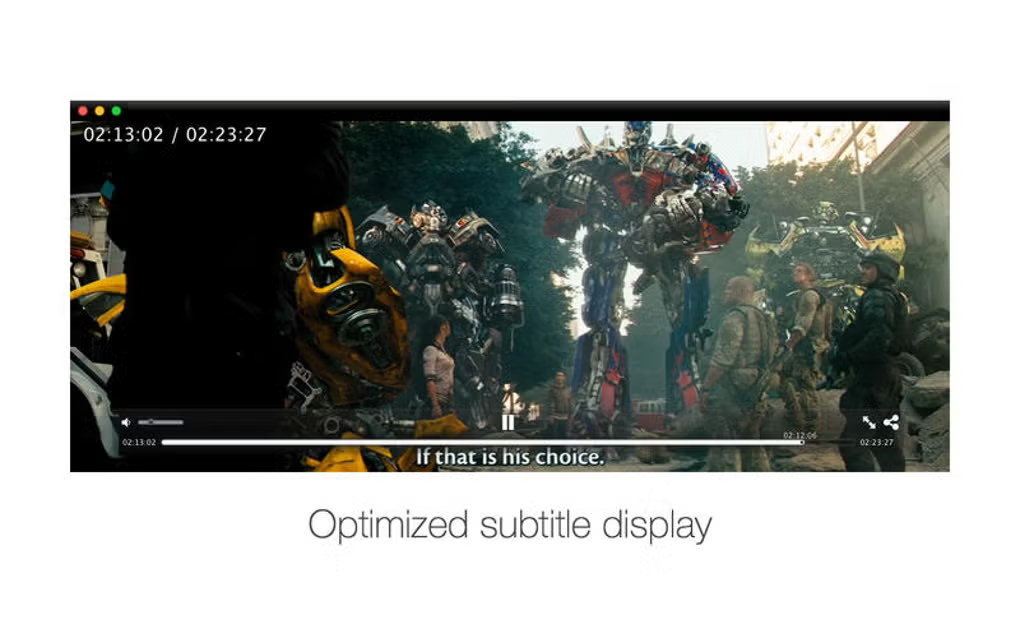

Download SPlayerX – Free HD Media Player for Mac
Overview of SPlayerX
SPlayerX, created by developer Shen Sheng, is a full‑version media browser designed exclusively for macOS. This powerful yet free application positions itself as an all‑in‑one video player that can handle every popular video codec, from legacy formats like MPEG‑2 and VOB to modern streams such as VP9 and VP10. What sets SPlayerX apart is its built‑in translation engine, which leverages real‑time voice recognition and natural language processing (NLP) to generate subtitles on the fly, making foreign‑language content instantly accessible.
The player also supports picture‑in‑picture (PiP) mode, allowing users to keep a video window on top while working on other tasks. Because SPlayerX is open‑source, its source code is publicly available for audit, ensuring a transparent and secure experience. Whether you are a casual viewer looking to stream the latest YouTube series, a student needing subtitles for a foreign documentary, or a power user who demands seamless playback of 4K HDR files, SPlayerX offers a reliable, secure, and feature‑rich solution without any hidden fees.
Key Features That Make SPlayerX Stand Out
- Universal Codec Support: Plays MPEG, MPEG‑2, VOB, DAT, M4V, TS, RM, RMVB, WMV, ASF, 3GP, 3G2, FLV, MOV, MKV, MPG, AVI, VP8, VP9, VP10 and many more without additional plugins.
- HD & 4K Playback: Optimized video decoders deliver smooth playback for high‑definition and ultra‑high‑definition content, including HDR streams.
- Built‑in Translation System: Real‑time voice recognition combined with NLP automatically generates subtitles and translates them into multiple languages.
- Picture‑in‑Picture (PiP) Mode: Keep a small video window on top of other applications, perfect for multitasking.
- Online Streaming & Subtitle Search: Directly browse popular video platforms, and the app will fetch matching subtitles from online databases.
- Open‑Source Security: Source code is publicly available, allowing the community to audit and verify the safety of the software.
- Customizable Interface: Themes, skinning options, and adjustable playback controls let users tailor the look and feel.
- Lightweight Installation: The installer is under 50 MB, making it quick to download and set up on any Mac.
Installation, Usage Guide, and Compatibility
Step‑by‑Step Installation
1. Download the installer: Visit the official SPlayerX website and click the “Download for macOS” button. The file is a signed .dmg package, ensuring authenticity.
2.
Mount the DMG: Double‑click the downloaded file; macOS will open a virtual disk showing the SPlayerX app icon and a shortcut to the Applications folder.
3. Drag & Drop: Drag the SPlayerX icon onto the Applications shortcut. macOS will copy the app to your system’s Applications directory.
4. First launch security prompt: Because the app is open‑source, macOS may display a warning.
Go to System Settings → Privacy & Security → Security and click “Open Anyway.”
5. Run the program: Open SPlayerX from the Launchpad or Applications folder. The first‑time wizard will ask you to choose a default language and configure PiP behavior.
Basic Usage Tips
Once installed, SPlayerX works like any modern media player. Drag a video file onto the main window or use File → Open to browse your library. For streaming, click the Online tab, paste a URL, and the player will auto‑detect subtitles.
To enable real‑time translation, click the Translate button, select the source and target languages, and the built‑in engine will generate captions as the video plays. PiP can be toggled via View → Picture‑in‑Picture or the shortcut ⌘+P. All settings are saved automatically, so you can close the app and resume exactly where you left off.
Compatibility Details
SPlayerX is built for macOS 10.13 (High Sierra) and later, including the latest macOS Ventura and Sonoma releases. The application runs natively on Apple Silicon (M1, M2) and Intel‑based Macs, thanks to universal binaries. While the primary focus is macOS, a separate Linux build is available, and a Windows port is in beta testing. Mobile versions for iOS and Android are planned for future releases, leveraging the same open‑source core.
Pros and Cons
- Pros:
- Completely free with no hidden ads or subscriptions.
- Extensive codec support eliminates the need for external packs.
- Real‑time translation and subtitle download streamline foreign‑language viewing.
- Open‑source code ensures transparency and security.
- Lightweight installer and modest system requirements.
- Cons:
- Advanced translation features require an internet connection.
- No official Windows version yet (beta only).
- Occasional UI glitches on macOS Ventura’s dark mode.
FAQ, Final Verdict, and How to Get SPlayerX
Frequently Asked Questions
Is SPlayerX really free?
Yes, SPlayerX is completely free to download and use. There are no hidden fees, premium tiers, or mandatory advertisements.
Can SPlayerX play 4K HDR videos smoothly?
Absolutely. The built‑in decoders are optimized for high‑resolution streams, and on modern Macs (especially Apple Silicon), 4K HDR playback is buttery smooth.
How does the translation feature work?
SPlayerX uses a cloud‑based NLP engine that analyzes the audio track in real time, converts speech to text, and then translates it into the selected language, displaying subtitles instantly.
Is the software safe to install?
Yes. As an open‑source project, the source code is publicly available for review. The official installer is digitally signed, and the project follows best security practices.
Will SPlayerX run on my older Mac (2012‑2013)?
If your Mac runs macOS 10.13 (High Sierra) or later, SPlayerX will install and operate, though performance on very old hardware may be limited for high‑bitrate 4K files.
Final Verdict & Call to Action
SPlayerX delivers a compelling mix of universal playback, advanced subtitle translation, and a clean, open‑source foundation—all without charging a dime. For Mac users who need a reliable, all‑purpose media player that can handle everything from legacy DVDs to modern streaming services, SPlayerX is a top‑tier choice. Its minor drawbacks—such as the beta status of the Windows version and occasional UI quirks—are outweighed by the breadth of features and the security of open‑source code. If you’re ready to upgrade your media experience, simply click the download link below, follow the quick installation steps, and start enjoying seamless video playback with real‑time subtitles today.
Download SPlayerX for macOS now and experience free, secure, high‑definition video playback.
Overall Rating: 4.5 / 5







